runspace
v0.1.0liveDisposable virtual desktops for AI agents. Linux and Windows, natively. A real graphical workspace for agents: launch, watch, click, type, screenshot, inspect and destroy.
A real desktop
An X11 display or a hidden Win32 desktop. Not a virtual machine, not a container.
Native input
Mouse and keyboard are injected into the sandbox. They never fall through to your session.
Agent-readable
Screenshots for vision models. UI trees and logs for text-only agents.
Disposable
Destroy removes processes, desktop, sockets, logs and state. Nothing is left running.
24
MCP tools
2.28 MB
Windows binary
127 ms
Warm create
Overview
Runspace gives an agent a real graphical workspace it can launch, watch, click, type into, screenshot and destroy. It is not a virtual machine and not a container. Each runspace is a lightweight desktop plus a window manager, tagged so it can be cleaned up completely.
The CLI, state model and 24 MCP tools are identical on Linux and Windows. The backend changes; the surface does not.
agent -- stdio (MCP) --> runspace mcp <id>

Linux:    Xvfb / Xephyr + xdotool + openbox + x11rb
Windows:  hidden Win32 desktop + job object + PrintWindow
Installation
Pick the method that matches your platform. The scripts install a prebuilt binary when one is available and fall back to a source build.
curl -fsSL https://getsingularity.lol/runspace | shDownloads a prebuilt x86_64 or aarch64 binary, falls back to cargo, and installs to ~/.local/bin. Needs Xvfb, xdotool and openbox for invisible desktops.
Linux
X11 tools are the only dependency.
- Xvfb for invisible desktops
- xdotool for input and window control
- openbox for focus and window management
- Xephyr for visible mode
- xrandr for live resize
sudo apt-get install -y xvfb xserver-xephyr xdotool openbox x11-xserver-utilsWindows
Nothing to install beyond Runspace.
- Windows 10 or 11, x64
- No WSL, VM image or extra download
- CreateDesktop, job objects and PrintWindow are built in
- runspace doctor verifies the native capabilities
runspace doctorQuick start
Create a runspace, add it to an MCP client, and let the agent run the loop.
# verify the native backend
runspace doctor

# create a private desktop
runspace create --name demo

# inspect it
runspace list

# speak MCP over stdio
runspace mcp demo
Add the server to Claude Desktop, Cursor, or any MCP-compatible client:
{
  "mcpServers": {
    "runspace": {
      "command": "runspace",
      "args": ["mcp", "demo"]
    }
  }
}
The loop is screenshot or UI tree, launch, interact, read logs, destroy. A failed tool call automatically includes the log tail, current UI tree and a screenshot.
CLI
Targets can be a full id, a unique prefix, or a name. On Windows the display iswin32; on Linux it is an X display such as :90.
runspace create [--visible] [--record] [-r WxH] [-n NAME] [--idle-timeout SECONDS] [--json]
runspace list [--json]
runspace info <id|name> [--json]
runspace attach <id|name>
runspace logs <id|name> [-f] [-n LINES]
runspace trace <id|name> [--html FILE]
runspace inspect <id|name> [--json]
runspace destroy <id|name>... [--json]
runspace destroy --all
runspace mcp [id|name]
runspace doctor
Create options
- --visibleoff
- Open a live viewer. Xephyr on Linux, native viewer on Windows.
- --resolution, -r1280x800
- Desktop canvas size, from 320x240 to 7680x4320.
- --name, -nnone
- A human-friendly target name.
- --idle-timeoutnone
- Destroy after N seconds without MCP activity.
- --recordoff
- Capture every MCP call and before-action screenshot.
- --jsonoff
- Machine-readable output.
MCP tools
Twenty-four tools over stdio. The Windows and application tools are shared; the backend decides how each one runs.
Desktop
12Input, screenshots and timing.
screenshotFull desktop as a PNG image block.mouse_moveMove the pointer to absolute coordinates.clickLeft, middle or right click at an optional point.double_clickDouble click.right_clickRight click.dragPress, move and release.scrollWheel in any direction.typeType text into the focused window.keySend one or more key combinations.get_cursor_positionSimulated pointer coordinates.waitSleep for a fixed duration.wait_for_idleWait until the screen stops changing.
Windows and apps
8Launch, find and control native windows.
launch_appLaunch a command and optionally wait for a window.wait_for_windowWait for a title or class and return the window.list_windowsVisible windows as JSON.get_ui_treeText hierarchy of windows and native controls.focus_windowActivate and raise a window.close_windowGraceful close, with an optional kill.move_windowMove a window.resize_windowResize a window.
Runspace
4Lifecycle and diagnostics.
get_infoUptime, pids, memory, recording state and backend data.set_resolutionResize the logical capture canvas.get_logsTail backend and application output.destroyKill every process and remove the runspace.
Trace export
Record a session when you need to see what the agent actually did. Trace recording is opt-in and has zero state when disabled.
# record from creation
runspace create --record --name demo

# export a self-contained report
runspace trace demo --html demo-trace.html- Every MCP call with arguments and timing.
- A before-action screenshot for each call.
- A final frame, log tail and runtime stats.
- One self-contained HTML file with embedded images.
Trace data lives inside the runspace and is removed by destroy. Export the HTML before destroying.
text-only agents
No screenshots required.
get_ui_tree returns a text hierarchy of visible windows and native controls. On Windows that includes Button, Edit and Static text, bounds, and enabled or focused state. On Linux it exposes top-level windows.
# print the UI tree for a text-only agent
runspace inspect demo

# machine-readable version
runspace inspect demo --json
Click a control center from the tree, type, then read the tree again to verify labels or Edit text. Failures include the recent log, tree and screenshot automatically.
Tree
backend, windows, focused_window, cursor_x, cursor_y
Window
id, title, class, x, y, width, height, pid, focused, controls, controls_truncated
Control
id, parent, class, text, x, y, width, height, enabled, visible, focused, control_id, depth
Platforms
Both backends are first-class. Each is built on the desktop APIs already present on the machine.
Xvfb and Xephyr
Linux X11
Xvfb for invisible desktops, Xephyr for visible ones, openbox for window management. Input and windows use xdotool. Screenshots are captured in-process with x11rb.
- Private clipboard
- RAM-backed state
- XWayland for visible mode on Wayland
Native Win32 desktop
Windows 10/11
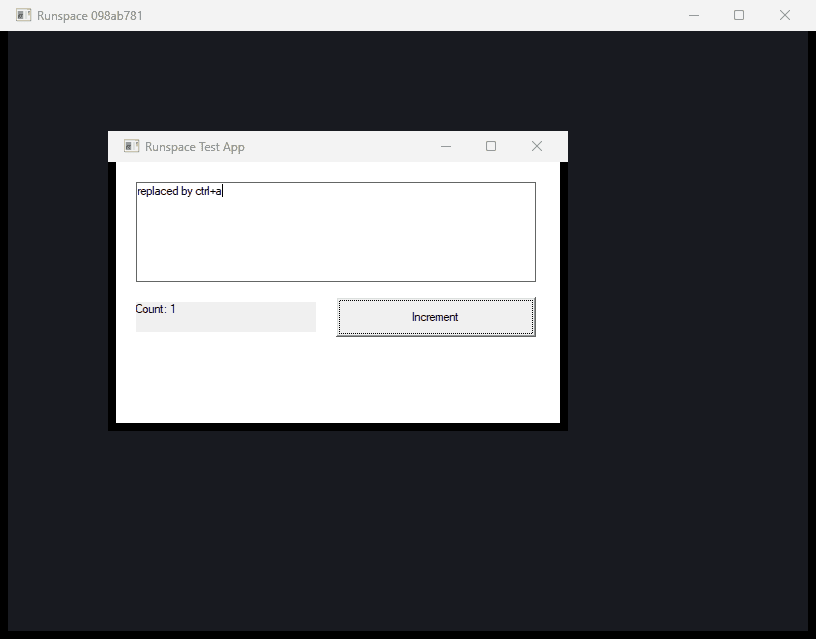
A keeper holds a hidden desktop and a kill-on-close job object. Apps are captured with PrintWindow and composited into a dark canvas. Input is posted to the target window.
- No WSL or guest OS
- Versioned helper cache
- Viewer mirrors the desktop at 5 fps
Limits
Runspace isolates the desktop and input. It does not isolate the filesystem or network. Treat it as a GUI testing sandbox, not a security boundary.
- DirectX, some UWP apps and some Chromium surfaces may render black in PrintWindow.
- Tk-style themed controls can capture correctly but ignore synthetic input. Native Win32 and GDI controls are the reliable tier.
- Windows shares the session clipboard. Linux gives each runspace a private clipboard.
- Arbitrary modifier combinations may not work. Common editing and close shortcuts are handled explicitly.
- The Windows system cursor is not in screenshots. get_cursor_position returns the simulated pointer.
- Runspace isolates the desktop and input, not the filesystem or network. Treat it as a testing sandbox.
© 2026 singularity